Posts

Showing posts with the label javascript

GRUNT- The JavaScript Task Runner
Image
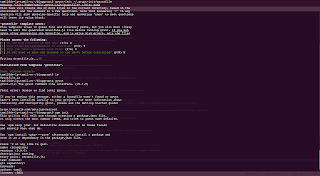
Grunt helps developers automate the task of javascript deployment. In our development cycle, every javascript deployment used to be 1. Code 2. Minify 3. Upload We were missing out two important phases which ensures code quality and reliability 1. Lint 2. Testing As our code became larger and larger, as anyother dev we also considered a refactor. The refactor resulted in splitting our large code base to manageable modules. Now, Deployment has to go through 1. Unit test independent modules 2. Merge Modules to a shippable target 3. Lint 4. Minify 5. Deploy Ooops... Nice but how? It's true that developers love things automated, and so we were. We arrived at a one stop solution GRUNT. This blog post is a Let Them Know Types. As, I felt that the instructions on grunt setup is kind of scattered :) To hav a better introduction with the hero, you should meet him at his place Grunt has two parts: 1. Using it 2. Customizing it How to start using it? Installation: G...

Backbone JS + Chrome App [manifest version 2]

Hello World!!, YAJSBP :) QUOTE: Getting to know a library or a technology is pretty easy, but things get reversed when you want to apply the same which you felt you knew :) In this blog post I'll take you through some integration challenges I faced while developing a chrome app along with backbonejs So, I got to know about this guy Backbone.js an year before at jsFoo 2011. The moment I noticed him, I visited his birthplace and got an overview of him. Then I felt that I could claim I know backbone.js. Later realised it was too early to say that. An year after I decided to try this guy and started developing a chrome app[ Features Recorder ]. Then I faced the following small challenges[on integerating backbone with chrome app] which I solved my own way :P Problem: 1 Chrome App manifest version 2 doesn't allow eval or new Function Error: Uncaught Error: Code generation from strings disallowed for this context Take a look at Chrome app Content Security Policy Why ...

Asynchronous Javascript & jQuery Deferred Why?

Using jQuery Deferred In this post I'll try to cover an overview of promises and deferred. Further how to use them in nodejs. Define Deferred? Google Define: Put off (an action or event) to a later time; postpone Deferred in javascript? Javsacript being an event driven scripting [and a developing programming] language, there is obvious need for developers to defer things awaiting events. For ex: window.addEventListner("load", function () { console.log("Defer my execution till window load"); }, false); $.ajax({ url: 'data.html', success: function () { console.log("Defer my execution till ajax load is successful") }, error: function () { console.log("Defer my execution till ajax load fails") } }); So? This is nothing unusual!!! Ya, obviously it is nothing unusual and obviously a beginner level fact. Deferred: As a programming paradigm, is a design pattern which solves the problem of code nea...

Javascript - A Reference for Beginners

Javascript Resources for beginners Javascript is one of the best programming languages that I had come across as a programmer Once I got a chance to know the good parts of javascript from Crockford from this video I got some interest in exploring all that good parts in full. First thing that impressed me from Crockford's presentation was "Javascript is the only programming language which people dare to use before learning it" Till that point I belonged to the same category that Crockford mentioned in the above quote So, I began to spend some valuable time with the language to come out of that crowd As a first thing I read a really nice book "Pro Javascript Techniques" Then, I got a chance to attend a javascript conference jsFoo organised by HasGeek There were really nice and lightning talks on advanced javascript techniques in which I had no knowledge about till that point. I just observed the talks and grasped as much as I could. After ...

Interesting Javascript Facts

Wishes to the web development world :) In the past 2 to 3 months I had chance to know about loads & loads of innovative JS Libraries All of them made me wonder "Is there a thing that we can't do in JS?" I wish to share some facts which got me mad in to this language & very beginnerish ;) What is {} + []? As soon as I saw this question my reply was "[object Object]" But the real answer was 0 :O Couldn't get any good guess on this, so posted @stackoverflow And I myself couldn't believe I missed it :P {} => Empty Block Scope & +[] => 0 So, cometh thy answer :) Some more of the same kind {} + {} = NaN [] + [] = "" [] + {} = "[object Object]" Why obj === +obj? I found this @ the source of Backbone.js I was wondering why should they check JS number type in such a way? Once again I got back to Stackoverflow The reply once again stunned me up :D It was to save the...

Javascript ASI and join vs concat(+)

Javascript Automatic Semicolon Insertion I came across a nice implication of Automatic Semicolon Insertion while developing an API in javascript. I'll let you guess at first as usual. Try the following function asi() { var a = 10, b = 20 c = 30; this.log = function () { console.log(a,b,c); }; this.set = function (A,B,C) { a=A; b=B; c=C; } } var a = new asi(); a.log(); var b = new asi(); b.log(); a.set(11,21,31); b.log(); b.set('This', 'is', 'wrong'); a.log(); //Expected output 10 20 30 10 20 30 10 20 30 11 21 31 //What happened?? 10 20 30 10 20 30 10 20 31 11 21 wrong How Come? First Thing to note: See Closely at line 3 there is a comma operator missing. So, now parser will decide what to do :P Remember: Whenever a statement misses a semicolon and if the statement following it makes sense along with the former. Then JS engine will not place a semicolon. Perhaps it parse them...

Is Javascript Pass By Reference or Pass By Value?

Javascript - Pass By Reference or Value? Javascript Types: string, number, boolean, null, undefined are javascript primitive types. functions, objects, arrays are javascript reference types. Difference? One of them is pass by reference and value. I'm Considering string from primitive type and object from reference type for explanation. Try guessing the alerts in the following examples yourself before reaching the answers //Example 1 function test(student) { student = 'XYZ'; alert(student); } var a = 'ABC'; test(a); alert(a); //Example 2 function test(student) { alert(student.name); student.marks = 10; student.name = 'XYZ'; } var a = {name:'ABC'}; test(a); alert(a.name); //Example 3 function test() { var student; return { setter: function (a) { student = a; }, getter: function () { return student; }, change: function () { student.name = 'XYZ';...

Nodejs Modules and Export Explained

Enjoyed a week playing around with nodejs :) Lets share Simple Node Server [http://localhost:6666]: var http = require('http'); var server = http.createServer(function (req, res) {            // Do Whatever you want               res.writeHead(200, {'Content-Type':'text/plain'});               res.end('Running');          }).listen(6666, function () {                    console.log('Node Runs on port 6666'); }); How to install a node_module? NPM is a powerful package manager for node which you can use to install node modules Ex: npm install redis The above command installs redis module in ./node_modules/redis directory How to use a module? Use require() method Ex: require('redis') How will node resolve the modules? Consider /home/xxx/sample  |___ index.js  |___ node_modules...

HTML Input Place Holder

A Simple way to implement placeholder in a Input Field. Although HTML 5 by default provides placeholders[placeholder attribute], it falls short in Cross Browser Compatibility Construct A Simple Form Username: Let's Implement Placeholders Now [With jQuery] Change the HTML To HTML: Username Result Username Apply CSS and Overlay placeholder over Input Element CSS: .place-holder { position:relative; left:-245px; color:#AAA; z-index:1; } .name-field { width:250px; background:#FFF; z-index:0; } Result Username Handle Focus and Blur Event :) jQuery: $().ready(function () { function hideHolder() { $('.place-holder').hide(); } function showHolder() { if($('.name-field').val() == '') { $('.place-holder').show() } } $('.name-field').focus(hideHolder); $('.name-field').blur(showHolder); $('.place-holder').click(function () { $('.name-field').trigger('focus'); }); }); ...

JS Automatic Semicolon Insertion

Semicolon; Why should I care? "Javascript is the only language which people dare to use before learning" - Crockford Actually I, myself belong to that category of people whom crockford mentions :) But trying to be out.. So, What's new today? Just a informative writeup about ASI ASI? Ya, Javascript Automatic Semicolon Insertion What is a legal statement in Javascript? Following are some var a=10; a; b++; b+=1; ;;; // 3 Empty Statements +a var a = function() { }; {   a   b   c     }; Lets start Try the following var a=10; function test() {     var b;     b = a;     b+=1 } console.log(a) Even though I didn't insert any semicolon [Statement Terminator] in line 5 and 7, the JS engine never throws an syntax error. Reason: ASI Construct Rules to remember:     ** ASI will insert one for you, if you specify a line terminator @ [no line terminator] mentioned        in the gra...

Making Javascript Good :)

Somethings I learnt from Crockford :) Keep it right always :) function a()  //Seems to be working but not :) {     return     {         name: 'a'     };     } console.log(a().name); function a() {  //Keep braces always right. It works :)     return {         name: 'a'     };     } console.log(a().name); There is no concept of block level scoping in javascript but the syntax exists. So, the former falls in that block hole and returns undefined. It's not c or c++ var i = 'tamil'; for(var i = 0;i < 10;i++){      } console.log(i); This is misleading because declaring 'var i' @ initialization of for-loop doesn't mean 'i' has the scope of the loop & it doesn't interfere with the one out. There is no other scope than function scope in javascript. All our declarations are hoisted up to function ...

A Javascript Introduction

Had a chance to read a nice javascript tutorial on variables and data types :) Let's share :) Q: How will I declare a variable? var variablename; Q: I don't like variablename I wish to have $$$$$, Is it possible? A: Ya you can there is no restriction on varible names except 1. It should start with either a alphabet or $ or _ 2. It should not use any reserve words like function, break, var, etc., 3. It should not use any of the operators [!@#%^&*()-+=] Q: Is there any javascript practise to declare variables? A: The answers is upto you. But most common practise is using CamelCase [Inherited from java] var testvariable; const TEST_CONSTANT; function testFunction() { } testObject = new Object(); Another way is Hungarian Notation - appending type of the field/variable to its name var intAge = 19; //Interger var strName = "xxxx"; //String var bSet = false; //Boolean var fpRate = 12.22; //Floating Point var fMember = true; //Flag Advantage: Fol...